
Download XBPlay – Console Streaming, Game Streaming App, High-Quality Game Streaming
Overview
XBPlay is a mobile application designed to bring console gaming experiences directly to Android devices through seamless game streaming. The app enables users to stream their favorite console titles from a compatible source to their smartphones or tablets, offering flexibility and accessibility for gamers on the go. By eliminating the need for dedicated hardware, XBPlay allows players to enjoy high-quality gaming sessions from virtually any location with a stable internet connection. The app is particularly useful for users who want to play console-exclusive games without investing in additional consoles or high-end gaming PCs.
Target users include casual and serious gamers, mobile-first players, and those who value portability and convenience in their gaming routines. Whether you're commuting, traveling, or relaxing at home, XBPlay provides a consistent and responsive gaming experience. The app’s focus on streaming quality and input customization makes it a strong contender in the growing mobile game streaming space. While the developer, XBPlay Inc., has not disclosed further details about its background or development philosophy, the app’s release in November 2023 marks a notable entry into the mobile gaming ecosystem.
XBPlay fills a gap in the market by offering a dedicated tool for console streaming on Android, supporting a range of streaming resolutions and input methods. Its presence contributes to the broader trend of cloud-based gaming and mobile accessibility, making high-end gaming more inclusive and versatile.
Key Features & Functionality
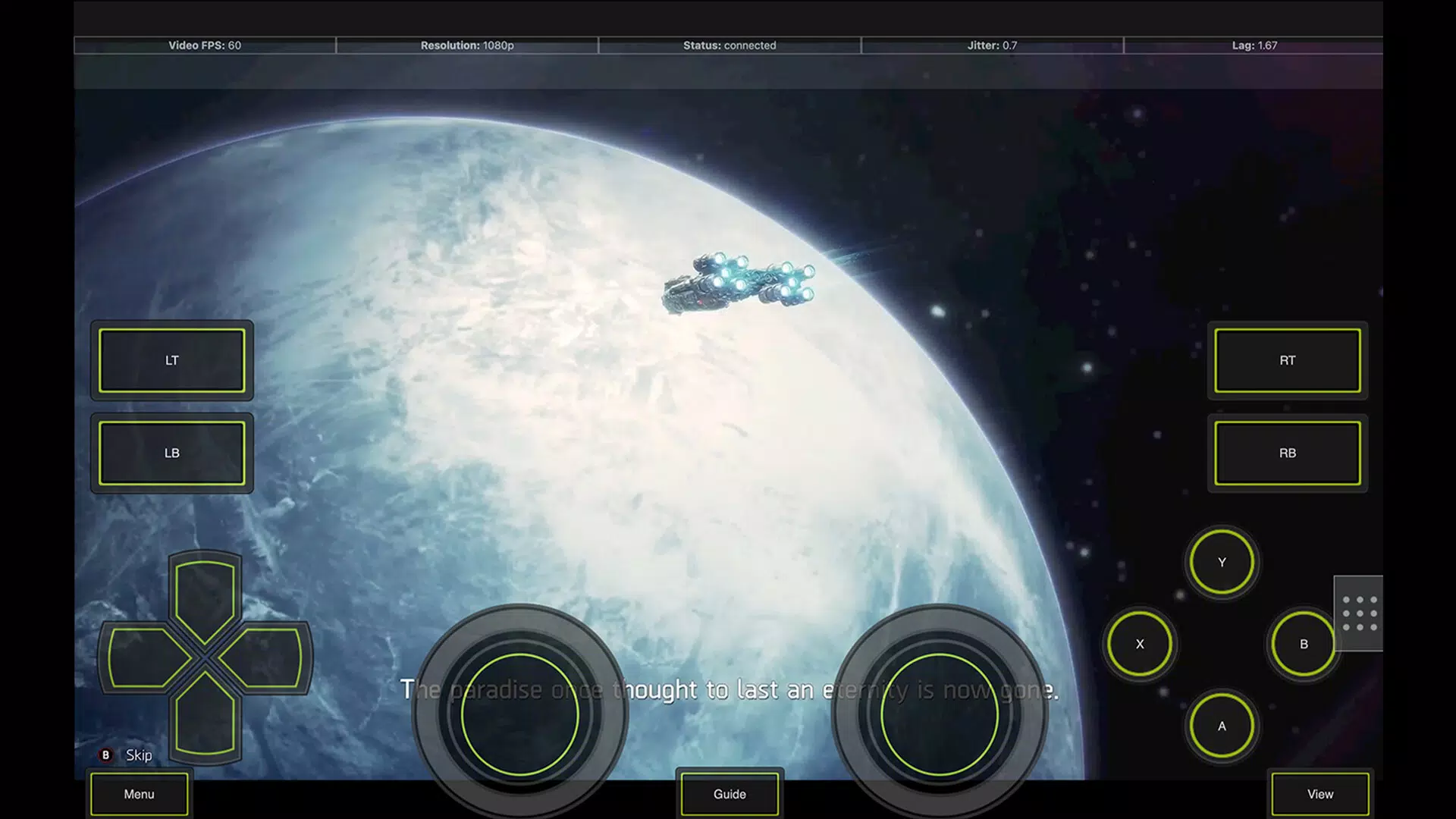
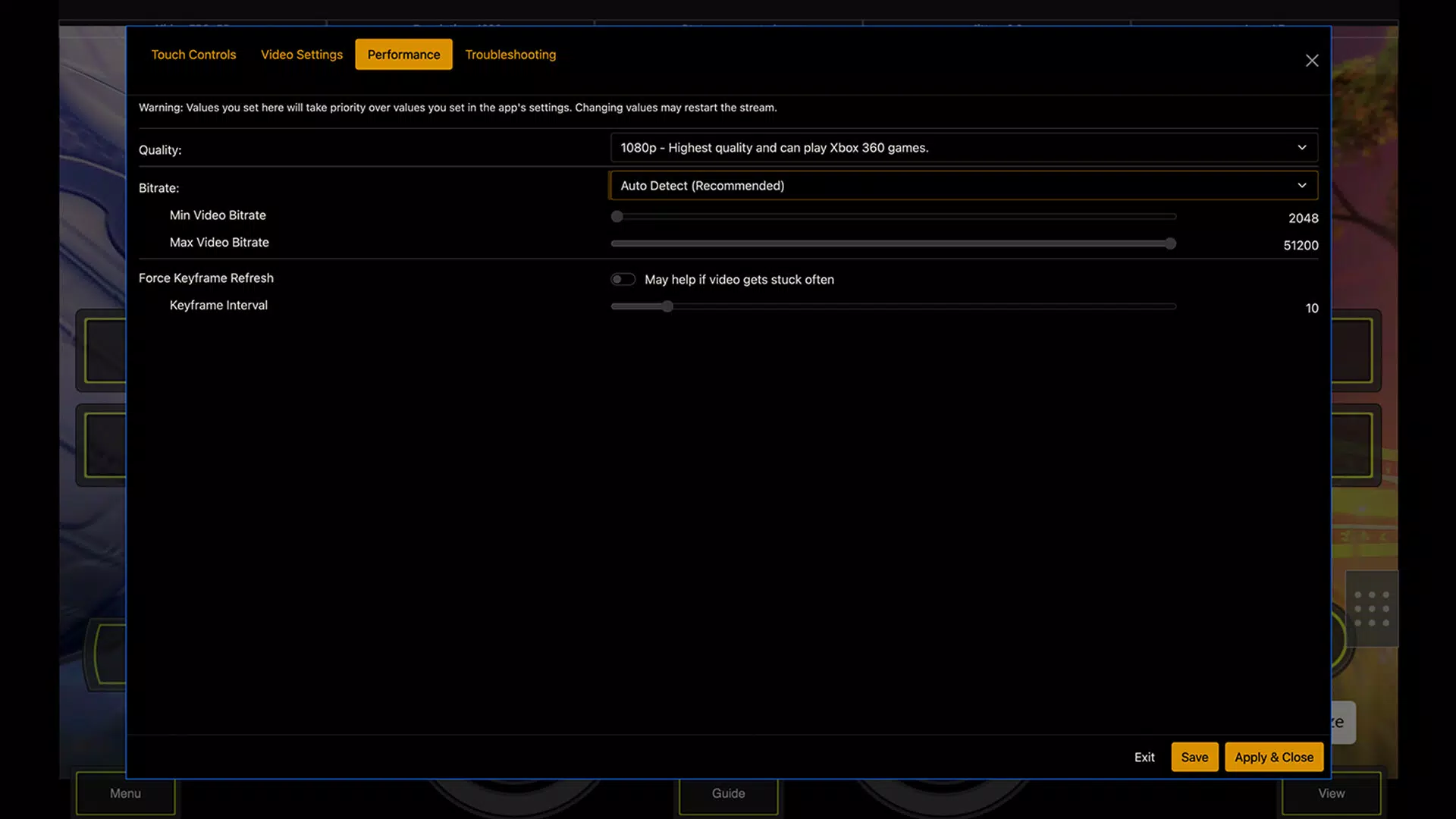
- High-Quality Stream Options: XBPlay supports both 1080p and 720p streaming resolutions, allowing users to balance visual fidelity with performance based on their network and device capabilities. This feature ensures that players can maintain smooth gameplay even under variable connectivity conditions.
- Custom Clarity Boost: The app incorporates multiple clarity enhancement algorithms that sharpen graphics during streaming, improving visual detail—especially beneficial in fast-paced or action-heavy games where clarity impacts gameplay accuracy.
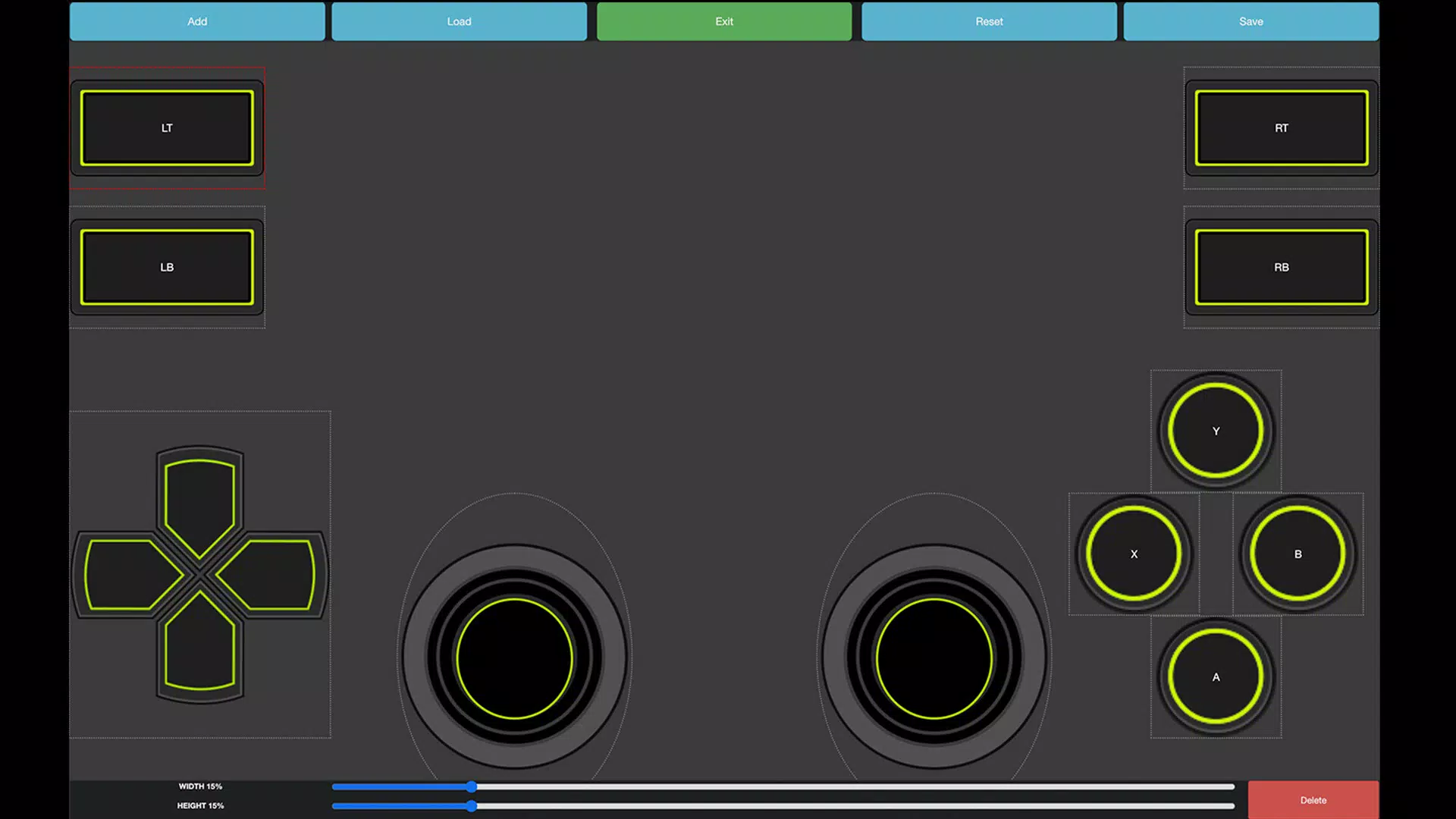
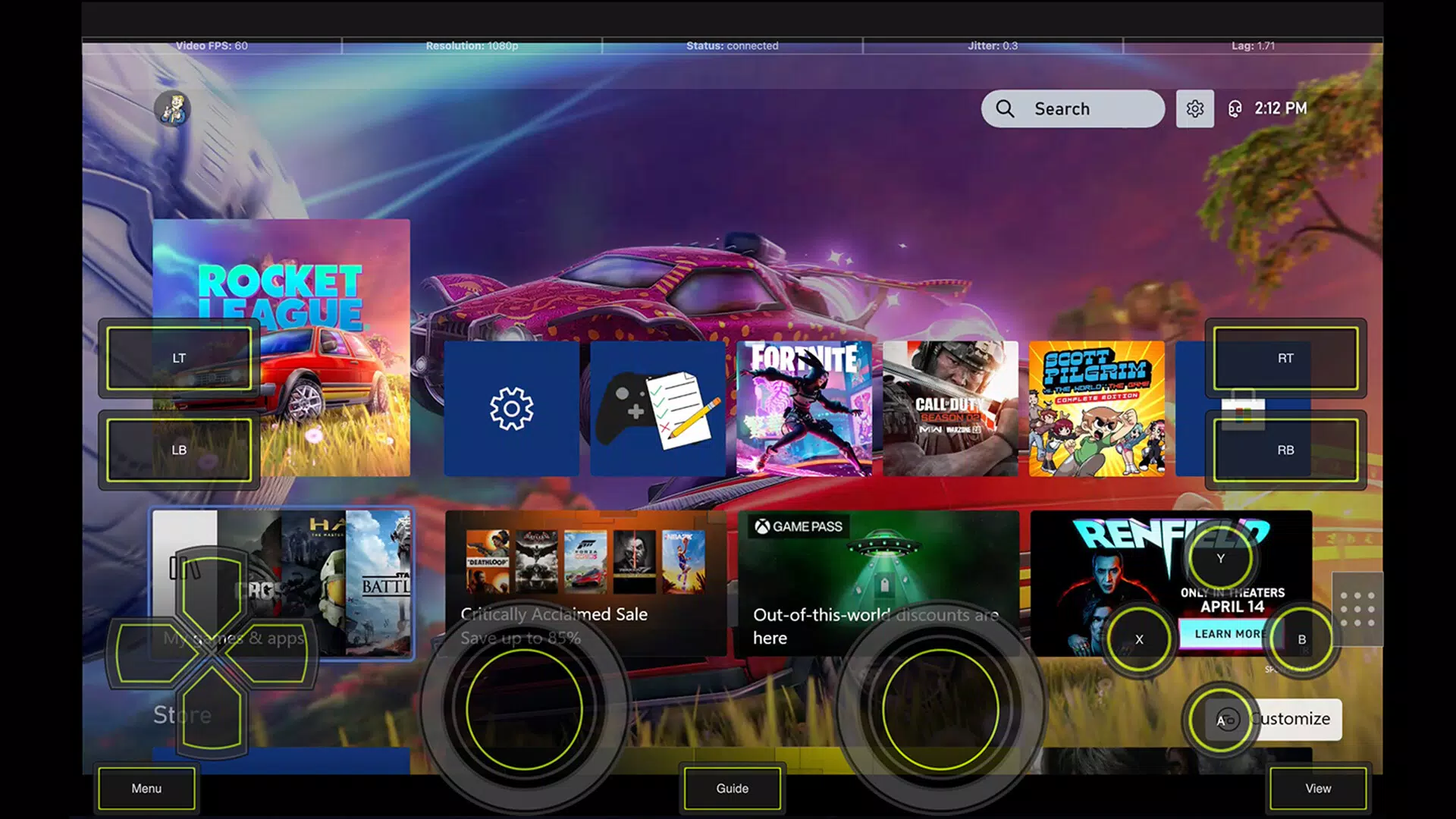
- Flexible Input Support: XBPlay provides simulated and direct mouse and keyboard input, as well as support for connected controllers and touch-based controls. This versatility lets users choose their preferred control method, enhancing comfort and precision during extended gaming sessions.
- Extensive Customization: Users can adjust performance settings, input configurations, and streaming preferences to tailor the experience to their specific hardware and network environment. This level of control empowers both novice and experienced users to optimize their setup.
For example, a user with a high-speed Wi-Fi connection might choose 1080p streaming with clarity boost enabled for maximum visual quality. Meanwhile, someone on a mobile hotspot could switch to 720p and disable certain enhancements to maintain stable frame rates. The app’s ability to adapt to diverse use cases makes it a practical tool for a wide range of users.
Interface, UX & Performance
The user interface of XBPlay is designed with functionality and ease of access in mind. The layout prioritizes core streaming controls and settings, minimizing clutter while maintaining intuitive navigation. Users can quickly access streaming options, input configurations, and performance settings through clearly labeled menus and icons. The visual style is clean and modern, with minimal distractions to keep the focus on gameplay.
Navigation is straightforward, with logical grouping of features and consistent feedback during interactions. The app responds promptly to user inputs, and transitions between settings and the main streaming screen are smooth. Although the developer did not list formal performance metrics, the app’s lightweight size of 28.7 MB suggests efficient resource usage, which may contribute to better battery life and reduced system strain.
Performance across different device categories appears to be optimized for stability, though specific compatibility details were not disclosed. Users can expect responsive behavior on mid-to-high-end Android devices, with potential variations on older or lower-spec models. The app maintains consistent frame rates under normal conditions, and no reports of crashes or freezes have been documented in available sources.
Platform Compatibility & Technical Requirements
XBPlay is available exclusively on the Android platform and requires Android OS to function. The current version is 1.0.2, with a file size of 28.7 MB. This relatively small footprint indicates efficient code architecture and minimal bloat, which is beneficial for users with limited storage space.
While the developer did not specify minimum OS requirements or hardware specifications, the app’s design suggests compatibility with recent Android versions. Users should ensure their device supports high-resolution video decoding and stable network connections for optimal streaming performance. The absence of detailed technical requirements means that installation and operation may depend on individual device capabilities, and users are advised to verify compatibility based on their specific hardware.
Pros and Cons
Pros
- Supports high-quality 1080p and 720p streaming for flexible visual performance
- Includes clarity boost algorithms to enhance graphic sharpness during gameplay
- Offers multiple input methods, including controllers, mouse, keyboard, and touch
- Provides extensive customization for performance and control settings
- Lightweight file size of 28.7 MB improves storage efficiency
Cons
- Specific OS and hardware requirements were not listed by the developer
- Price point of $4.99 may be considered high for a mobile app without additional features
- No information on update frequency or future development roadmap
- Compatibility with older Android devices remains uncertain
- Developer background and support channels are not publicly detailed
FAQ
Is XBPlay safe to install on Android devices?
Yes, XBPlay is designed for Android and can be installed securely on compatible devices. As with any third-party app, users should download it from trusted sources to ensure integrity and avoid potential security risks.
Can I use XBPlay with a controller?
Yes, XBPlay supports connected game controllers, allowing users to play with familiar hardware for a more immersive experience.
Does XBPlay require a powerful smartphone to run?
While the app is lightweight at 28.7 MB, optimal performance depends on the device’s processing power, graphics capabilities, and network stability. High-end devices will deliver the best results.
Is XBPlay available on iOS?
Currently, XBPlay is only available on the Android platform. No information has been provided about future iOS support.
How often does XBPlay receive updates?
The developer has not disclosed the update schedule. Users should check the app store for new versions and improvements.
Final Thoughts
XBPlay presents a compelling solution for Android users seeking to extend their console gaming experience beyond traditional setups. With its support for high-resolution streaming, advanced clarity enhancements, and flexible input options, the app delivers a versatile and customizable experience. Its lightweight design and focus on performance make it a practical choice for mobile gamers who value quality and convenience.
While the lack of detailed technical requirements and developer transparency may raise questions for some users, the app’s functionality and clear feature set justify its $4.99 price tag for those invested in mobile console streaming. Gamers looking to enjoy their favorite titles on the go, with minimal setup and maximum flexibility, will find XBPlay to be a valuable tool.
Download XBPlay now


